
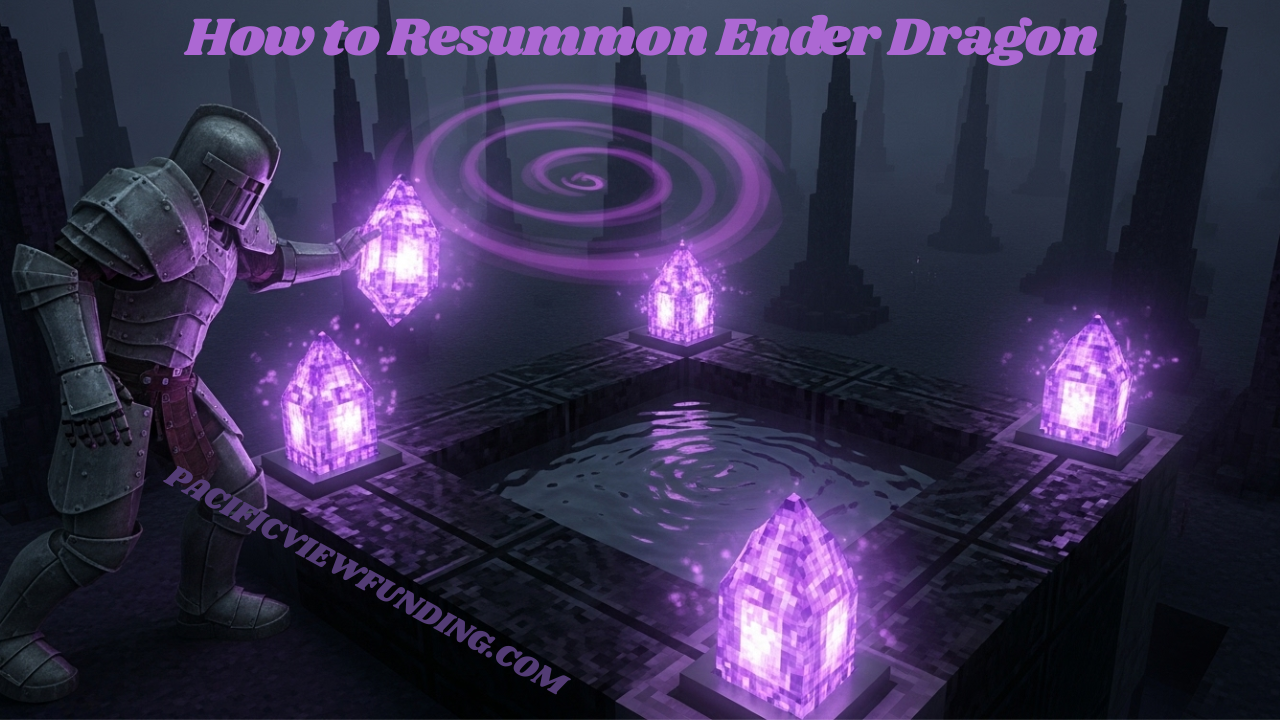
The Ender Dragon is the ultimate challenge in Minecraft, but what happens when you’ve defeated it? Many players think it’s game over, but you can summon this fearsome beast once more! Whether you’re looking for another epic showdown or want to collect those precious dragon eggs again, resummoning the Ender Dragon is an adventure worth embarking on. Let’s dive into how to bring this colossal creature back from its demise and unleash chaos upon your world again!
How to Resummon Ender Dragon
To resummon the Ender Dragon, you’ll need four End Crystals. Place one crystal on each of the four sides of the portal frame in the End. Once all crystals are positioned, they will activate and resurrect the dragon. Get ready for another epic battle as it emerges from its lair once again!
Introduction
The Ender Dragon is one of Minecraft’s most formidable foes, captivating players since its debut. Whether you’re looking to conquer it for the first time or seeking another thrilling encounter, knowing how to resummon this legendary creature can elevate your gaming experience. Dive into the methods and strategies required to bring back this iconic dragon.
Spawning
The Ender Dragon is a significant boss in Minecraft, first appearing in the End dimension. Initially, it spawns when players enter this realm for the first time. The dragon roams the obsidian pillars and regenerates health using Ender Crystals atop them. Understanding its spawning mechanics is crucial for those looking to face or resummon this formidable foe.
Initial spawning
The Ender Dragon first appears when you enter the End dimension. It spawns atop a central obsidian pillar, surrounded by end crystals. This initial encounter is crucial for players seeking to defeat this formidable foe. The dragon’s powerful presence and majestic flight set the stage for an epic battle that challenges even seasoned Minecraft veterans.
Re-summoning
To re-summon the Ender Dragon, players need four End Crystals. Place these on each of the four corners of the End Portal’s frame. Once activated, watch as the dragon rises once more. This allows you to face this formidable foe again and collect valuable drops like experience points and rare items from its defeat.
Death and Drops
When the Ender Dragon meets its end, it drops valuable loot. Players receive a staggering 12,000 experience points upon defeat. Additionally, it leaves behind a dragon egg and can drop up to 5 obsidian blocks. These resources are essential for players looking to enhance their gameplay or create new structures in the Overworld.
Behavior
The Ender Dragon exhibits distinct behaviors during encounters. Its movement is erratic, often swooping down to attack players or flying high above the obsidian pillars. When it targets you, be prepared for its fierce attacks and strategic maneuvers. Understanding these patterns can significantly increase your chances of surviving a battle with this formidable foe.
Movement
The Ender Dragon glides gracefully through the air, showcasing its impressive wingspan. It moves in a wide circular pattern around the end dimension, swooping down to attack players or regenerate health. Its speed can catch many off guard, making strategic movement essential for any adventurer trying to dodge its fierce onslaught while planning their next move.
Attacking
The Ender Dragon displays aggressive behavior during combat. It swoops down to attack players, inflicting significant damage with its melee strikes. Additionally, it can unleash a powerful fireball that ignites anything in its path. Players must remain vigilant and ready to dodge these attacks while coordinating their own strikes to defeat this formidable foe effectively.
Special Abilities
The Ender Dragon possesses formidable special abilities that set it apart. One of its most feared attacks is the Dragon Fireball, a devastating projectile that can inflict serious damage. This ability not only enhances combat against players but also adds an element of unpredictability to encounters, making each battle unique and challenging in the realm of Minecraft.
Dragon Fireball
The Ender Dragon unleashes a devastating fireball attack, causing massive damage on impact. This fiery projectile tracks players and can ignite the terrain. Avoiding it requires sharp reflexes and quick maneuvers. When you’re in its line of sight, remember to stay alert—survival hinges on dodging these fierce blasts while planning your next move against this formidable foe.
Sounds
The Ender Dragon has a distinct array of sounds that enhance the game’s atmosphere. Players can hear ominous roars when it’s nearby, creating tension during battles. It also emits unique noises while flying and attacking, adding to its intimidating presence. These sound effects contribute significantly to the immersive experience of confronting this iconic Minecraft boss.
Data values
The Ender Dragon has specific data values that define its behavior and characteristics in Minecraft. Its unique ID is “minecraft:ender_dragon,” which allows players to interact with it through commands and mods. Additionally, the dragon’s health points are set at 200, making it a formidable enemy for players seeking challenges within the game’s vast universe.
Achievement and Advancements
When players defeat the Ender Dragon, they unlock exciting achievements and advancements. One of the key milestones is “The End… Again,” marking a significant moment in gameplay. Achieving this provides players with a sense of accomplishment, encouraging exploration and mastery within Minecraft’s vast universe. These rewards add depth to the experience, motivating players to take on challenges repeatedly.
History and Trivia
The Ender Dragon was first introduced in Minecraft’s Beta 1.9 update, captivating players with its mythical presence. Initially, defeating the dragon yielded an egg that served as a trophy rather than a respawn mechanism. Over time, community interest led to the ability to resummon it, making encounters more thrilling and giving rise to various strategies and tales among players.
Issues and Fixes
Players often encounter issues when attempting to resummon the Ender Dragon. Common problems include missing portal frames or insufficient end crystals. To fix these, ensure all necessary materials are gathered and correctly placed. Sometimes, game glitches may occur—restarting your world can resolve unexpected behavior during summoning attempts. Staying updated with patches can also help prevent bugs.
Gallery and References
Explore our curated gallery showcasing epic moments from Ender Dragon battles. Discover stunning screenshots, fan art, and player highlights that capture the thrill of facing this legendary foe. For further reading and in-depth guides, check out references from trusted Minecraft sources and community forums to enhance your gameplay experience. Immerse yourself in the world of Minecraft like never before!
Command Details
To resummon the Ender Dragon, you can use specific commands. The command `/summon ender_dragon ~ ~ ~` will spawn a new dragon at your current coordinates. Make sure you have the necessary permissions or are in creative mode for this to work seamlessly. Using commands effectively enhances gameplay and allows for more dynamic encounters with this formidable foe.
Development Versions
Development versions of Minecraft often introduce new mechanics and features for the Ender Dragon. These iterations allow players to experiment with re-summoning methods before they become official. Players can access snapshots or beta versions, providing a sneak peek at upcoming changes. Engaging with these builds helps gamers adapt strategies and enjoy fresh gameplay experiences.
Media and Screenshots
Media and screenshots offer a vibrant glimpse into the experience of battling the Ender Dragon. Players often capture their epic duels, showcasing dramatic moments and unique strategies. These images not only serve as memorable keepsakes but also inspire others to embark on their own quests in the vast world of Minecraft. Sharing these visuals enhances community engagement and creativity.
FAQS
When it comes to resummoning the Ender Dragon, players have plenty of questions. Many wonder about the necessity of the dragon egg for respawning. Others ask if they can face the dragon again after defeating it once. Curious minds also explore what methods were used before updates changed how to bring back this formidable creature.
How to resurrect the ender dragon?
To resurrect the Ender Dragon, you need four end crystals. Place one on each side of the portal frame in the End dimension. Make sure to position them correctly for a successful summoning. Once all are placed, watch as the dragon rises again, ready to battle once more! The thrill of facing this majestic creature awaits.
Do you need the egg to resummon the ender dragon?
No, you don’t need the Ender Dragon egg to resummon the Ender Dragon. The egg serves more as a trophy after defeating it for the first time. To bring back this formidable foe, all you really require are four end crystals placed on the outer edges of the End Portal. Simple and straightforward!
Can you rematch the ender dragon?
Yes, you can rematch the Ender Dragon in Minecraft. Once defeated, it can be resummoned by using four end crystals placed on the outer edges of the End Portal. This allows players to engage with this formidable foe repeatedly, making it an exciting challenge for those looking to test their skills or gather more resources from its defeat.
What was the old way to resummon the ender dragon?
The old method to resummon the Ender Dragon involved a more complex process. Players used to place four End Crystals on the corners of the End Portal frame after defeating it once. This required gathering materials like glass, obsidian, and ender pearls to craft these crystals. It was a straightforward approach but also quite resource-intensive compared to modern methods. Understanding this history helps players appreciate how far Minecraft has come in terms of gameplay mechanics and features related to bosses like the Ender Dragon.