
Snapchat is all about keeping your social circle close and staying connected with friends. One feature that many users love is the ability to pin conversations. This handy tool ensures your most important chats are just a tap away, saving you time and effort in scrolling through endless messages. However, there may come a time when you need to unpin someone from your chat list—whether it’s because of changing friendships or simply wanting a fresh start. If you’re wondering how to unpin someone on Snapchat, you’ve landed in the right place! Let’s dive into everything you need to know about managing those pinned conversations like a pro.
How to Unpin Someone on Snapchat
Unpinning someone on Snapchat is a straightforward process. First, open the app and navigate to your chat screen where all your conversations are listed.
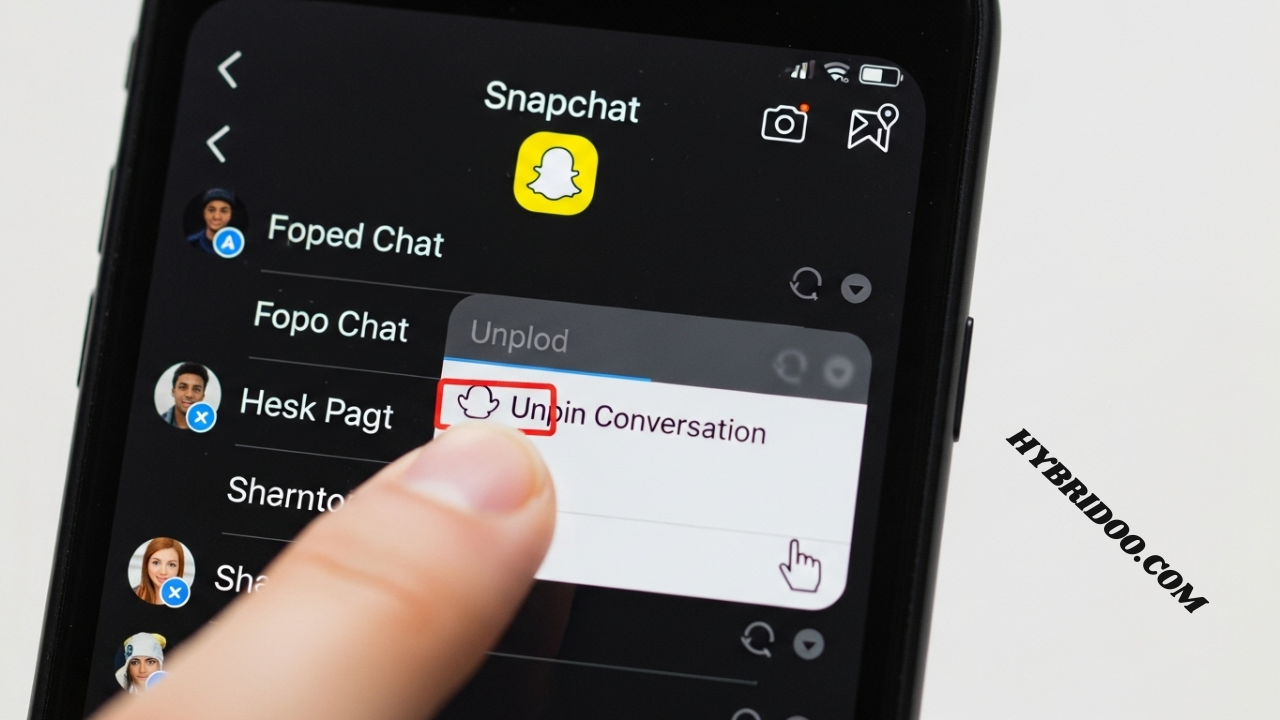
Next, locate the pinned conversation you want to unpin. Long-press on that chat until a menu pops up with various options for managing your conversations.
Select “Unpin” from the menu. Once you’ve done this, the conversation will drop back into its regular position in your chat list. It’s an easy way to keep things updated without losing any messages or memories shared in that chat!
Pinning Conversations on Snapchat
Pinning conversations on Snapchat is a helpful way to keep your favorite chats easily accessible. When you pin someone, their conversation stays at the top of your chat list. This means you won’t have to scroll through numerous messages to find them.
To pin a conversation, simply press and hold on the chat until options appear. Tap “Pin Conversation,” and voilà! Your chosen contact’s chat will be front and center, making it easier for you to stay connected.
This feature is ideal for keeping in touch with close friends or essential contacts without digging through your list every time. It streamlines communication by prioritizing those who matter most in your social circle.
Unpinning Conversations on Snapchat
Unpinning conversations on Snapchat is a straightforward process. Once you’ve pinned someone, their chat moves to the top of your list for easy access. However, there may come a time when you want to rearrange your chats or remove someone from that prime spot.
To unpin a conversation, simply locate the pinned chat in your message feed. Long-press on the person’s name until options pop up on your screen. Selecting “Unpin” will send that conversation back down in the order of recent activity.
This action allows you to keep your most important chats easily accessible while ensuring other conversations can surface as needed. Adjusting these settings can help maintain an organized and efficient messaging experience.
How to Unpin Your BFF on Snapchat
Unpinning your BFF on Snapchat is a quick and simple process. Start by opening the app and navigating to your Friends screen. Locate the conversation you want to unpin; it should be at the top of your list if it’s pinned.
Next, press and hold on their chat until a menu appears. From there, select “Unpin Conversation.” This action will move their chat back down to its original position in your friends list.
Remember, unpinning someone doesn’t remove them from your friends or delete any chats. It simply reorganizes how conversations appear for easier navigation. Your BFF can still reach out anytime without a hassle!
Recommended Video
If you’re looking for a visual guide on how to unpin someone on Snapchat, we’ve got you covered. Check out our recommended video that walks you through the entire process step by step. It’s perfect for those who prefer learning by watching.
The video outlines not just unpinning but also explains why pinning is useful in the first place. You’ll see real-time demonstrations, giving you a clearer understanding of each action.
With easy-to-follow instructions and tips along the way, you’ll be able to navigate your Snapchat conversations effortlessly. Don’t miss this opportunity to enhance your social media skills!
Business Insider’s Innovative Stories
Business Insider is known for its innovative storytelling that captivates readers. The platform dives deep into trending topics, unveiling insights that resonate with a diverse audience. Whether it’s finance, technology, or lifestyle, their content never fails to engage.
One standout aspect of Business Insider’s approach is its ability to blend data-driven journalism with compelling narratives. This combination not only informs but also entertains readers, making complex subjects accessible and relatable.
Additionally, their multimedia elements enhance the reading experience. From interactive graphics to videos and podcasts, Business Insider ensures that every story is presented in an engaging format that keeps audiences coming back for more. It’s this creativity that sets them apart in the crowded digital landscape.
Pinning a Conversation on Snapchat
Pinning a conversation on Snapchat allows you to keep your favorite chats easily accessible. When you’re juggling multiple friends, this feature ensures that important messages don’t get lost in the shuffle. It’s perfect for those daily chats with close friends or family.
To pin a conversation, simply long-press on the chat you want at the top of your list. A menu will pop up, giving you an option to “Pin.” Once pinned, that chat will always float above others unless unpinned.
This simple trick not only saves time but also enhances your overall experience on Snapchat. You can quickly check in with besties or ongoing conversations without scrolling through endless threads.
Unpinning a Conversation on Snapchat
Unpinning a conversation on Snapchat is simple and quick. First, open your app and go to the chat screen where all your conversations are listed. Look for the pinned contact you wish to unpin.
Next, press and hold on their chat until a menu appears. This will show several options related to that conversation. You’ll want to select “Unpin Conversation” from this list.
Once you’ve done that, the chat will return to its original position in your list of conversations. It’s an easy way to manage who stays at the forefront of your chats without deleting any messages or contacts entirely. Enjoy customizing your Snapchat experience!
Unpinning Someone on Snapchat Through the Web
If you’re looking to unpin someone on Snapchat through the web, you’re in luck. The process is just as straightforward. First, log into your Snapchat account via a web browser. Once you’ve accessed your profile, navigate to the chat section where you’ll see all your pinned conversations.
Find the conversation you want to unpin. Hover over it until you see an options menu appear. Click on this menu and select “Unpin” from the choices provided. This action will remove that conversation from your pinned list without deleting any messages or chats.
Using Snapchat’s web version can be convenient for those who prefer using a larger screen or need quick access while multitasking online. Whether you’re managing personal chats or catching up with friends, knowing how to unpin contacts adds flexibility in navigating your social interactions on this platform.