
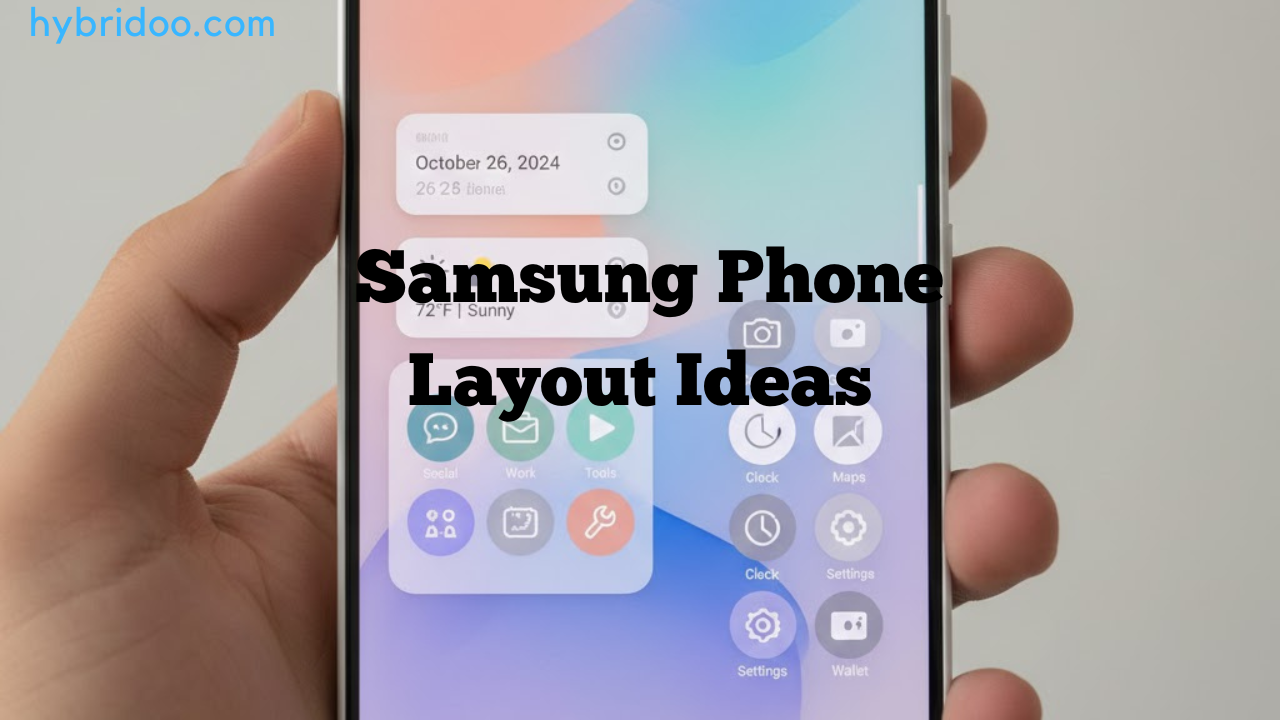
Samsung phones are known for their powerful customization features, making them a favorite among users who love personalizing their devices. If you are searching for Samsung phone layout ideas, you are likely looking to improve usability, aesthetics, or both. The good news is that Samsung’s One UI, combined with built-in tools and third-party apps, gives you endless layout possibilities.
In this in-depth guide, you’ll discover practical and creative Samsung phone layout ideas that enhance productivity, improve navigation, and make your phone visually appealing—without overcomplicating things.
Why Samsung Phone Layout Customization Matters
Customizing your Samsung phone layout is more than just a design choice. It directly impacts how efficiently you use your device.
Key Benefits of a Customized Layout
-
Faster access to frequently used apps
-
Reduced screen clutter
-
Improved one-hand usability
-
A personalized look that matches your lifestyle
Samsung’s ecosystem allows users to design layouts that are both functional and visually engaging, making everyday tasks smoother.
Understanding Samsung One UI Layout Basics
Before exploring advanced Samsung phone layout ideas, it’s essential to understand the core layout elements.
Main Layout Components
-
Home screen – App icons, widgets, folders
-
App drawer – All installed applications
-
Navigation style – Buttons or gesture navigation
-
Edge panels – Quick-access tools and apps
Samsung One UI is designed for ease of use, especially on larger screens, which makes layout customization even more impactful.
Minimalist Samsung Phone Layout Ideas
Minimalist layouts are ideal for users who prefer simplicity and focus.
How to Create a Clean Layout
-
Limit apps on the home screen
-
Use folders instead of individual icons
-
Choose neutral or solid wallpapers
-
Reduce widget usage
Recommended Setup
-
4×5 or 4×4 icon grid
-
One productivity widget (calendar or clock)
-
Single dock with essential apps
Minimalist Samsung phone layout ideas are perfect for reducing distractions while keeping your phone elegant.
Productivity-Focused Samsung Phone Layout Ideas
If you rely on your phone for work or studies, productivity-oriented layouts can significantly boost efficiency.
Layout Tips for Productivity
-
Place work apps on the main screen
-
Use stacked widgets for schedules and tasks
-
Enable split-screen and pop-up view
-
Add Edge Panel shortcuts
Best Widgets to Include
-
Samsung Calendar
-
Samsung Notes
-
Reminder widget
-
Digital wellbeing tracker
These Samsung phone layout ideas help streamline tasks and minimize wasted time.
Creative Widget-Based Samsung Phone Layout Ideas
Widgets are one of Samsung’s strongest customization tools.
Popular Widget Layout Styles
-
Clock + weather combo
-
Music player widget
-
Fitness and health tracking
-
News or email preview
Design Tips
-
Align widgets symmetrically
-
Use consistent widget sizes
-
Match widget colors with wallpaper
A well-balanced widget layout can transform your Samsung phone into a smart dashboard.
Aesthetic Samsung Phone Layout Ideas
Visual appeal matters just as much as functionality.
How to Build an Aesthetic Layout
-
Choose a theme (dark, pastel, AMOLED black)
-
Match icon packs with wallpaper
-
Use transparent or blur widgets
-
Maintain consistent spacing
Popular Aesthetic Styles
-
Minimal monochrome
-
Soft pastel designs
-
Neon cyberpunk layouts
-
Nature-inspired themes
These Samsung phone layout ideas are especially popular on social platforms where users showcase personalized setups.
Samsung Phone Layout Ideas for One-Hand Use
Large screens can be challenging without proper layout planning.
One-Hand Optimization Tips
-
Place frequently used apps near the bottom
-
Enable One Hand Operation+
-
Use gesture navigation
-
Reduce icon size
Samsung designed One UI with one-hand usability in mind, making these layout ideas practical and comfortable.
Using Good Lock for Advanced Layout Customization
Samsung’s Good Lock app unlocks next-level layout customization.
Best Good Lock Modules for Layouts
-
Home Up – Custom grids and folders
-
Theme Park – Icon and color control
-
One Hand Operation+ – Gesture customization
-
Edge Lighting+ – Visual notifications
Good Lock is a must-have tool for users serious about Samsung phone layout ideas.
Samsung Phone Layout Ideas for Gaming
Gamers benefit from specialized layouts that reduce distractions.
Gaming Layout Essentials
-
Dedicated gaming folder
-
Minimal widgets
-
Game Booster shortcuts
-
Landscape-friendly icons
Optional Enhancements
-
Dark wallpapers for OLED screens
-
Do Not Disturb mode
-
Performance monitoring widgets
These layouts keep your focus on gameplay while maintaining quick access to essential controls.
Folder-Based Samsung Phone Layout Ideas
Folders help organize apps without cluttering your screen.
Smart Folder Organization
-
Group by function (social, finance, media)
-
Use emoji or short labels
-
Limit folders to 6–8 apps
Recommended Folder Placement
-
Bottom row for frequent use
-
Secondary screen for occasional apps
Folder-centric Samsung phone layout ideas are ideal for users with many installed apps.
Icon Grid and Spacing Customization Tips
Icon layout directly affects visual balance and usability.
Best Grid Settings
-
Compact users: 4×5
-
Balanced users: 4×6
-
Heavy users: 5×6
Spacing Advice
-
Avoid overcrowding
-
Leave negative space
-
Align icons consistently
Fine-tuning your grid enhances both form and function.
Common Mistakes to Avoid When Designing Layouts
Even the best Samsung phone layout ideas can fail if overdone.
What to Avoid
-
Too many widgets
-
Excessive icon packs
-
Overly bright wallpapers
-
Cluttered folders
A balanced layout always performs better than an overloaded one.
How Often Should You Change Your Samsung Layout?
There’s no fixed rule, but refreshing your layout can improve user experience.
Suggested Timing
-
Every 2–3 months
-
After major software updates
-
When usage habits change
Regular updates keep your phone feeling new and optimized.
Future Trends in Samsung Phone Layout Customization
Samsung continues to evolve its UI with every update.
Emerging Trends
-
AI-based layout suggestions
-
Smarter adaptive widgets
-
Enhanced gesture navigation
-
Deeper theme integration
Staying updated ensures you get the most out of your Samsung device.
Final Thoughts on Samsung Phone Layout Ideas
Exploring different Samsung phone layout ideas allows you to tailor your device to your needs, whether that’s productivity, aesthetics, gaming, or simplicity. Samsung’s flexible ecosystem ensures that every user can create a layout that feels intuitive and personal.
Call-to-Action
Ready to transform your Samsung phone experience?
Start experimenting with these Samsung phone layout ideas today, test different styles, and discover what works best for you. Share your favorite layout ideas with friends—or bookmark this guide for your next customization upgrade!