
Damon runs a modest YouTube channel about urban cycling. Last month, he published a 22-minute video essay on why bike lanes fail in car-centric cities. It took him three weeks to research, film, and edit. When he uploaded it, the video performed decently—8,000 views, a few hundred comments. But the real magic happened on a Wednesday morning when he sat down with a cup of coffee and a free AI tool.
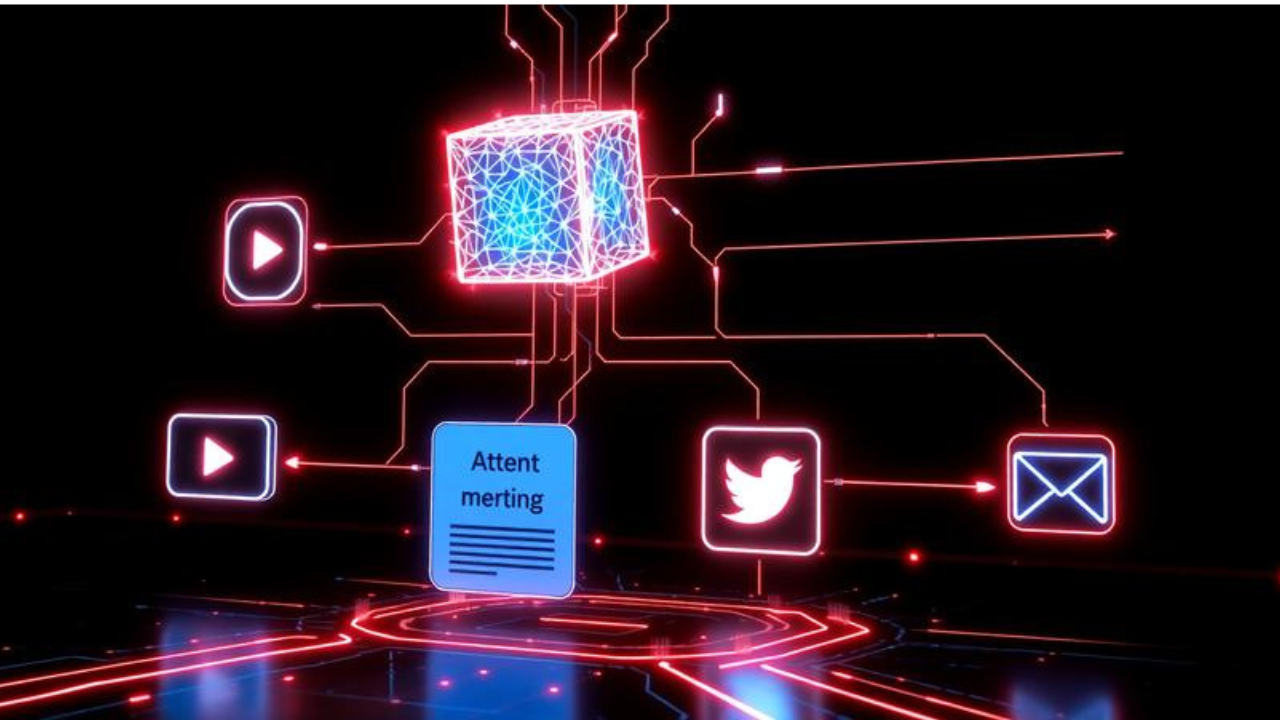
In three hours, Damon transformed that single video into a 1,500-word blog post optimized for SEO, a five-part Twitter thread, a LinkedIn carousel script, a 60-second TikTok teaser with AI-generated captions, and a newsletter deep dive that got a 42% open rate. He didn’t hire an editor, a social media manager, or a copywriter. He didn’t pay a cent for software. The engine that powered this entire content multiplication was an interlocking set of free AI tools that most creators still overlook.
Content repurposing has always been the smartest strategy for staying visible without burning out. But until recently, doing it well meant either spending hours manually reshaping your message or shelling out for expensive suites. The rise of genuinely powerful, free AI has torn that trade-off to shreds. Today, you can feed a piece of content into a free AI pipeline and walk away with a dozen platform-ready assets, all carrying your voice. In this article, I’ll show you exactly how, with zero budget and zero hype. This is the new playbook for content repurposing AI free—a way to work once, publish everywhere, and keep your creative sanity intact.
Why Now: The AI Revolution Meets the Content Treadmill
Creators today face a cruel paradox. Audiences are more distributed than ever across newsletters, LinkedIn, TikTok, Instagram, YouTube, and podcasts, but the economics of solo creation haven’t changed. You still have only one brain and 24 hours. The Content Marketing Institute found that 64% of B2B marketers say producing enough content is their biggest challenge, and that number is even higher for solopreneurs with no team. The old answer was to pick one channel and hope for the best, or to grind yourself into dust publishing shallow, original-only posts for every platform.
The AI wave changed that. In late 2022, large language models captured the world’s imagination. By 2026, the free tiers of these models have become so capable that they can genuinely reshape a creator’s workflow. OpenAI’s ChatGPT free plan now includes GPT-4o mini, web browsing, image generation, and persistent project memory. Anthropic’s Claude offers a generous free tier with a 200K context window that can swallow entire book manuscripts. Google Gemini integrates tightly with free Google apps. Open-source models like Llama 3.1 run locally for zero cost and total privacy. These aren’t just chatbots; they’re multimodal reasoning engines that can summarize, rewrite, brainstorm visuals, and even structure video scripts.
At the same time, a new wave of AI-first creative tools launched with free plans designed to hook users early. Canva’s AI Magic Design, CapCut’s text-to-video with auto-captions, and Microsoft Designer’s generative image layouts all sit comfortably in free tiers. The result is a moment where the core AI tools needed for end-to-end content repurposing—transcription, text transformation, visual generation, and video editing—cost nothing. The only missing ingredient is a systematic process. Let’s build it.
1. The AI Transcription Engine: Turning Speech into Editable Text for Free
Every repurposing workflow starts with a transcript. If you produce video, audio, or even voice memos, your words need to become searchable, editable text before an AI can help you reshape them. The best free AI solution here is OpenAI’s Whisper model, an open-source automatic speech recognition system that you can run entirely for free.
Damon uploaded his video’s audio track to a free Google Colab notebook that runs Whisper on a cloud GPU. Within minutes, he had a near-perfect transcript with timestamps. He then downloaded it and used a second free tool—ChatGPT—to clean it up and break it into logical sections with headers. Because Whisper runs on Colab’s free compute, there’s no monthly limit, no file count, and no data leaving your control if you later move to running it locally on your own machine using a free app like Buzz.
If tinkering with Colab sounds daunting, Otter’s free plan offers 300 minutes of transcription per month with AI-powered speaker labels and keyword search, right in the browser. The quality is excellent for clear speech. For those who need absolute privacy, OpenAI’s Whisper model can be run offline on a modern laptop, with no internet needed, via the free MacWhisper or Buzz desktop apps. This is crucial for sensitive client interviews or proprietary content.
Once you have the raw transcript, the real AI repurposing begins. Paste the text into ChatGPT or Claude with a prompt like: “Extract the 7 most surprising insights from this transcript, then rewrite them as punchy tweets. For each insight, suggest a visual idea for an Instagram slide.” The AI returns a list of social-ready snippets and visual prompts in seconds. This single step transforms a long-form monologue into the atomic units of a multi-platform campaign, all without a copywriter.
2. The Free AI Writer: From Long-Form to Every Platform Voice
Transformation—not just transcription—is where content repurposing AI free truly shines. A long video transcript contains the raw ore; you need an AI co-author that can smelt it into different formats while preserving your unique voice.
Damon’s video essay was a nuanced, opinionated piece about urban planning. His Twitter audience prefers bite-sized data points and sharp one-liners. His newsletter readers want a reflective essay. LinkedIn rewards professional, slightly formal storytelling. With a single long prompt, he configured ChatGPT’s free tier to become his repurposing editor. He included context about each platform’s tone, his own voice characteristics (“casual, passionate, often uses cycling metaphors, avoids jargon”), and asked it to generate:
-
A newsletter subject line and opening paragraph.
-
A 5-part Twitter thread with the main argument.
-
A LinkedIn post that opens with a contrarian statistic.
-
A script for a 60-second TikTok, with rapid cuts and bold statements.
The AI produced 80% of the final copy. Damon spent the remaining 20% injecting personal anecdotes, swapping in platform-specific references, and ensuring every sentence sounded like something he’d actually say at a dinner party. The output wasn’t a content mill’s generic slurry; it was his thinking, repackaged with the tedious structural work already done.
Other free AI writers play specific roles in this pipeline. Claude’s free tier handles enormous context windows, so you can feed it several past blog posts and ask it to repurpose them into a cohesive email series without losing detail. Google Gemini’s free integration with Google Docs lets you brainstorm repurposing ideas directly in your draft. And for those who want a more visual interface, Notion AI’s limited free offering can turn meeting notes into a project summary and social blurbs right inside your workspace. The key is to treat these tools not as a replacement for your brain, but as a tireless junior partner that prepares options for your editorial judgment.
3. Visual AI: Free Tools That Generate Graphics and Video from Text Alone
Great written repurposing means nothing if the visual wrapping feels off. Historically, this was the expensive bottleneck. In 2026, free AI tools have democratized design and video creation to the point where a single blog post can spawn a dozen visually distinct assets with little more than a text prompt.
For static graphics, Canva’s free tier now includes an AI-powered Magic Design feature. Damon pasted the key quote from his video into Canva, selected his brand colors, and the AI generated five different Instagram story layouts with typography, illustrations, and stock imagery. He chose one, tweaked the alignment, and exported it. No design skills, no paid templates. For quick quote cards, Microsoft Designer’s free plan offers an even more streamlined AI-native experience: you type “create an image with the quote ‘Protected bike lanes reduce fatalities by 40%’ with a city background and minimalist style,” and it produces multiple options using DALL-E-powered generation.
Video repurposing used to demand editing chops. Now, CapCut’s free desktop and web app has a feature called “Text to Video.” Damon copied the TikTok script his AI co-author had written, pasted it into CapCut, chose a “fast-paced tech explainer” template, and watched the AI stitch together stock footage, automatic captions, transitions, and a royalty-free soundtrack. The result was a polished 60-second clip that needed only minor adjustments to match his visual branding. The free version exports in 1080p without a watermark—good enough for any social platform.
Lumen5’s free plan takes an even simpler route: paste a blog post URL, and the AI extracts key sentences and pairs them with video clips and music to create a short social video. The free version adds a small watermark, but for testing content ideas, it’s invaluable. For creators who want a unique visual signature, Leonardo’s free tier generates consistent character illustrations and scenes that can become a recurring brand element across all repurposed content. The result is an Instagram feed or a TikTok page that looks handcrafted, while the heavy lifting is entirely algorithmic.
4. The Automated Assembly Line: Stitching Free AI into a Zero-Cost Workflow
Individually, each of these tools saves hours. But the real transformation happens when you connect them into a semi-automated repurposing system that runs with minimal ongoing effort. This is where free no-code automation platforms and AI APIs come together.
Damon built a lightweight system using Make’s free plan, which includes 1,000 operations per month—enough for a creator with a weekly publishing schedule. His workflow looks like this: every time he publishes a new YouTube video, an RSS trigger fires in Make. The automation sends the video’s transcript (grabbed from YouTube’s auto-captioning or a connected Whisper step) to ChatGPT’s API, which has a free tier with enough monthly requests for modest use. ChatGPT is pre-configured with a detailed prompt that extracts highlights, generates a blog post draft, five tweets, a LinkedIn post, and a TikTok script. The automation then emails Damon a formatted document with all assets, ready for review.
For social scheduling, Buffer’s free plan lets you queue up to 10 posts across three channels. Damon takes the AI-generated posts, edits them in minutes, and loads them into Buffer for the week. If he wants to get more sophisticated, he uses n8n, an open-source automation tool that can be self-hosted entirely for free on an always-free cloud VM. With n8n, he can build unlimited workflows—like automatically generating a thumbnail script with DALL·E via a free API call, or pushing repurposed content directly to WordPress. The barrier is technical willingness, not cost.
Even if you never touch an automation tool, the manual assembly line is absurdly fast. A creator who records one podcast episode can, in a single afternoon using only free AI, produce: a transcript, a blog summary, five social graphics, two short videos, and an email newsletter. The AI removes the cognitive switching cost between formats. You stay in curator mode, selecting and refining, rather than starting from a blank page. This is the promise of content repurposing AI free: not just savings in dollars, but savings in the creative energy that fuels your best work.
The Honest Limit: When AI Repurposing Goes Wrong
It’s tempting to read this and imagine a push-button content empire. But free AI has edges, and those edges are sharp. The most common pitfall is homogeneity. AI models, especially when used with lazy prompts, tend to converge on a statistically average tone—friendly, upbeat, slightly generic. If you’re not careful, your repurposed LinkedIn post sounds like a thousand others written by a thousand other creators using the same tool. The antidote is voice training: spend time feeding the AI examples of your best writing and giving it detailed tone instructions. The free tier of ChatGPT now supports persistent custom instructions, so you only have to do this once.
Free tiers also impose real limits. ChatGPT’s free plan may throttle you during peak usage. CapCut’s free stock footage library is large but not infinite, so you might reuse the same clips. Make’s 1,000 operations vanish quickly if you automate too many steps. And critically, privacy remains a gray zone: free cloud AI tools may log your data, which is problematic if you’re repurposing proprietary client content.
Most importantly, no AI can replace the tasteful editorial eye. Repurposing is adaptation, not duplication. A LinkedIn carousel that’s just a dump of bullet points from a transcript will feel lazy. Those who treat free AI repurposing as a finished product factory will see engagement drop. Those who treat it as an intelligent draftsman will see their reach multiply without burnout.
Actionable Takeaways: Start Your Free AI Repurposing Engine Today
-
Begin with a single pillar piece of content. Choose your best-performing video, podcast, or article from the last three months. Don’t try to repurpose everything at once.
-
Build your free AI core. Set up ChatGPT’s custom instructions with your brand voice, and get comfortable with Whisper (via Google Colab or Buzz) for transcription.
-
Create platform-specific assets systematically. Use the AI to generate Twitter threads, LinkedIn posts, and TikTok scripts, then use Canva and CapCut free tiers for the visual layer.
-
Add one lightweight automation. Connect your RSS feed or a Google Form to Make, and set up an auto-drafting flow that lands in your email or Buffer queue. Test it with one content drop.
-
Always, always humanize. Before anything goes live, read it aloud. Adjust one headline. Add one personal story. Ask yourself, “Would I say this to a friend?” If the answer feels wobbly, rewrite that line.
Frequently Asked Questions
1. What exactly is content repurposing AI free?
>>>>>>>>>>>>>>>>>>>>>>>>>>>>>>>>>>>>>>It’s the practice of using free artificial intelligence tools—like ChatGPT, Whisper, Canva’s AI, and CapCut—to transform a single piece of content (a video, podcast, or blog post) into multiple new formats for different platforms, without spending any money on software.
2. Are there genuinely free AI tools good enough for professional repurposing?
Yes. The free tiers of ChatGPT, Claude, and Gemini are capable of advanced summarization, rewriting, and script generation. Free design and video tools like Canva, Microsoft Designer, and CapCut offer AI-driven features that produce polished, watermark-free output suitable for professional use.
3. Can AI repurpose content without losing my unique voice?
It can, if you invest time upfront. Most AI tools let you set custom instructions that define your tone, style, and favorite phrases. Feeding the AI examples of your past writing also helps it mimic your voice. The key is always editing the output—adding personal anecdotes and refining anything that feels generic.
4. Is it safe to upload my content to free AI tools?
It depends on your sensitivity. Free AI cloud services may store or analyze your data for improvement purposes. If you handle confidential client material, consider using local, open-source models like Whisper and Llama that run entirely on your computer with no data leaving your device.
5. How do I turn a long YouTube video into a TikTok using free AI?
First, transcribe the video with Whisper or Otter (free tier). Then paste the transcript into ChatGPT with a prompt to “create a 60-second TikTok script with a hook, 3 key points, and a call to action.” Take that script to CapCut’s free Text-to-Video feature, select a template, and export. You’ll have a short video ready in under 15 minutes.
6. What’s the biggest mistake people make with AI content repurposing?
Relying on the AI’s output without editing. AI-generated content can feel bland or miss the nuances of each platform. The most common error is posting identical-sounding content everywhere without adapting the tone, visuals, and hook to fit the native expectations of each audience.
7. Can I automate the entire repurposing process for free?
You can automate large parts of it. By connecting a free automation tool like Make to an RSS feed and an AI text generator, you can auto-generate drafts whenever new content publishes. However, a fully hands-off pipeline usually requires human review to maintain quality and authenticity, especially on social media.
One Piece, Infinite Lives
Damon still records his long-form video essays. They remain the heart of his creative work—the place where he thinks deeply and speaks authentically. But the days of that video disappearing into the algorithmic void after a single weekend are over. The same insights now ripple outward across Twitter threads, LinkedIn debates, TikTok trends, and inboxes, each piece carrying his signature while speaking the native language of its platform.
The tools that made this possible cost him nothing but an afternoon of setup. That’s the radical, quiet promise of content repurposing AI free in 2026. It doesn’t ask for a bigger budget or a production team. It asks you to see your content as a renewable resource, not a one-time artifact. The AI handles the adaptation; you supply the soul.
So look at your latest video, your most recent podcast, that neglected blog post from two months ago. It’s not done. It’s just waiting for you to pick up a free AI tool and say, “Again.” Because in this landscape, your best idea deserves not one audience but many—and now you can reach them all without ever reaching for your wallet.