
Introduction
Picture this: it is 2 PM on a busy Tuesday, and your phone is ringing off the hook. Customers are waiting on hold, getting frustrated, and some are even hanging up. Now imagine if those same customers could simply press a button and continue the conversation on WhatsApp instead. That is exactly what WhatsApp IVR makes possible.
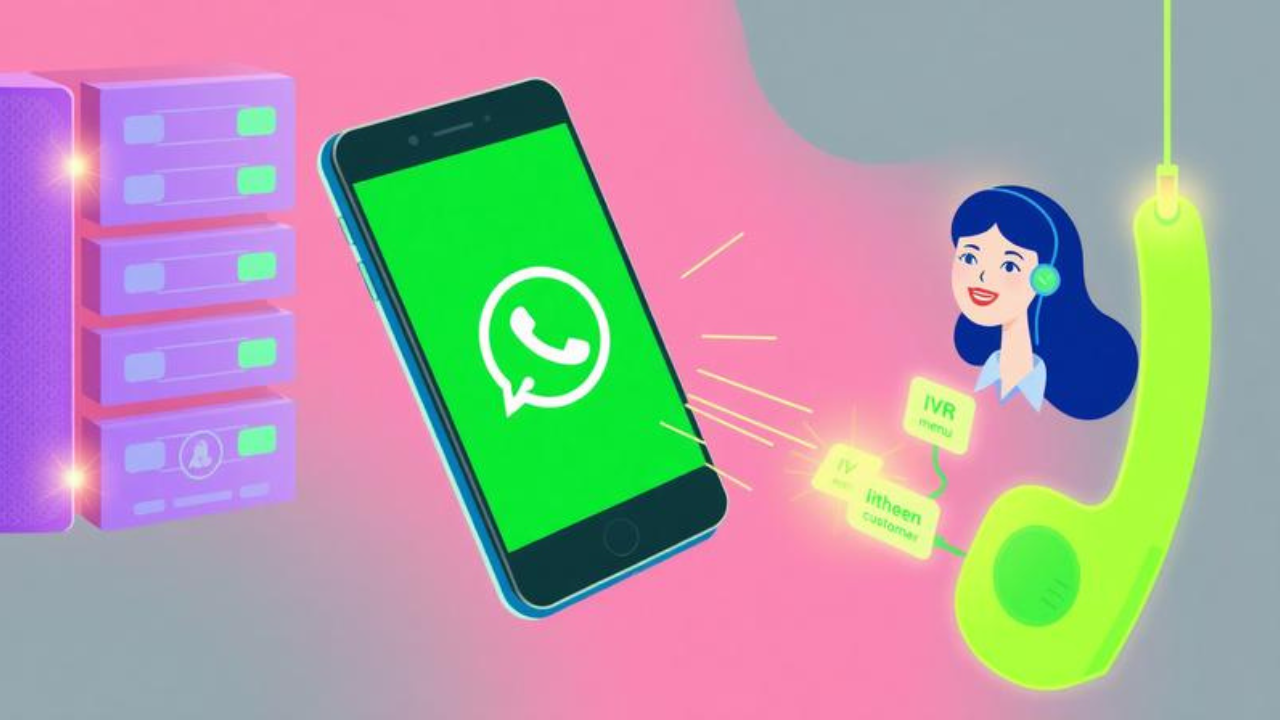
WhatsApp IVR (Interactive Voice Response) is a game-changing technology that bridges the gap between traditional phone systems and the world’s most popular messaging app. In this article, we will break down everything you need to know about WhatsApp IVR. You will learn what it is, why it matters, how the WhatsApp API works, and how you can set it up for your business. Whether you are a small business owner or a marketing professional, this guide will give you a clear roadmap to start using WhatsApp IVR today.
Table of Contents
-
What Is WhatsApp IVR? / Introduction to WhatsApp IVR
-
Why Does WhatsApp IVR Matter? / Key Benefits
-
WhatsApp IVR — Key Facts / Types / How It Works
-
How To Set Up WhatsApp IVR for Your Business
-
Common Mistakes / Myths to Avoid
-
Expert Tips for Best Results
-
Frequently Asked Questions
-
Conclusion
What Is WhatsApp IVR?
WhatsApp IVR stands for Interactive Voice Response on WhatsApp. In simple terms, it is a system that lets you route customer calls or messages through an automated menu—just like when you call a bank and hear “Press 1 for balance inquiry, Press 2 for loan details”—but with the option to move the conversation to WhatsApp.
Think of it like a smart traffic controller for customer communication. When someone calls your business, the IVR system greets them and offers choices. Instead of keeping them on hold, the system can ask: “Would you prefer to continue this conversation on WhatsApp?” If they say yes, they are instantly redirected to your WhatsApp Business API account to chat with an agent or a chatbot.
This feature is also known as “call-to-messaging deflection”. It is a way to reduce the pressure on your voice-based contact centers, especially during peak times. Instead of making customers wait in long phone queues, you give them a faster, more convenient option. And because WhatsApp has over 2 billion users worldwide, chances are your customers are already on the app.
Why Does WhatsApp IVR Matter?
WhatsApp IVR is not just a fancy feature—it is a strategic advantage. Here is why you should care:
-
Reduces Call Volume: By deflecting calls to WhatsApp, you free up your phone lines for urgent issues. This lowers your telecom costs and reduces customer wait times.
-
Improves Customer Satisfaction: Customers hate waiting on hold. Giving them the option to switch to WhatsApp—a platform they already love—boosts their experience significantly.
-
Boosts Engagement: WhatsApp has a staggering 98% open rate and an average response time of just 90 seconds. Compare that to email, which has a measly 21% open rate.
-
Enables Rich Media: Unlike a phone call, WhatsApp lets you send images, videos, PDFs, and location pins. This makes problem-solving faster and more effective.
-
Increases Conversions: WhatsApp boasts an impressive conversion rate of 45-60%. Moving a customer from a frustrating phone queue to a seamless chat can make all the difference in closing a sale.
WhatsApp IVR — Key Facts
WhatsApp IVR comes in a few different flavors. Understanding the types will help you choose the right solution for your business.
IVR Deflection (Call-to-Messaging)
This is the most common type. When a customer calls your business, your IVR system offers them the option to switch to WhatsApp. If they accept, the call is deflected to your WhatsApp Business API account, where they can continue the conversation via chat.
WhatsApp-Based IVR Menu
Some platforms allow you to create an IVR menu directly within WhatsApp. For example, a customer might message your business and receive an automated reply: “Welcome to Company Y. Press 1 for Sales, Press 2 for Support.” This is similar to a traditional phone tree but happens entirely within the chat.
Voice Calling API
Meta now offers a Voice Calling API that allows businesses to make and receive VoIP calls directly through WhatsApp. This means you can build IVR systems that handle both voice and messaging on the same platform.
Comparison Table
| Feature | IVR Deflection | WhatsApp IVR Menu | Voice Calling API |
|---|---|---|---|
| How It Works | Routes phone calls to WhatsApp chat | Automated menu within WhatsApp chat | VoIP calls with IVR routing |
| Best For | Reducing call center load | Self-service & basic queries | Full voice + messaging integration |
| Key Benefit | Cuts wait times instantly | 24/7 automated support | Unified communication platform |
| Example Provider | Twilio, Unifonic | 3CX, Heyo | Meta Cloud API |
How To Set Up WhatsApp IVR for Your Business {#how-to-set-up-whatsapp-ivr}
Setting up WhatsApp IVR is easier than you might think. Follow these steps to get started:
-
Get a WhatsApp Business API Account: The free WhatsApp Business App is for manual use only. For automation and IVR, you need the WhatsApp Business API. You can access the API through a Business Solution Provider (BSP) like Twilio, Telnyx, or Ozonetel.
-
Choose Your IVR Platform: Decide whether you want to build a custom solution using the Twilio WhatsApp API or use a ready-made WhatsApp IVR app like Heyo. The Twilio API offers flexibility with code samples in six languages.
-
Design Your IVR Flow: Map out the customer journey. What options will you offer? What happens if the customer chooses WhatsApp? Plan your menu tree and message templates carefully.
-
Integrate with Your Systems: Connect your IVR to your CRM, helpdesk, or contact center software. This ensures that customer data flows seamlessly between channels.
-
Test and Launch: Run thorough tests to make sure calls are deflected correctly and messages are delivered. Once everything works, launch your WhatsApp IVR and start deflecting calls today.
Common Mistakes
Even the best tools can fail if you use them wrong. Here are some pitfalls to dodge:
-
Mistake: Using the free WhatsApp Business App for IVR. Many businesses think the free app can handle IVR. The Truth: The free app is manual and limited to 256 contacts per broadcast. For IVR and automation, you need the WhatsApp Business API.
-
Myth: WhatsApp IVR is only for large enterprises. Some small business owners assume this technology is out of their reach. The Truth: Solutions like Heyo start at just ₹300 per month, making WhatsApp IVR affordable for businesses of all sizes.
-
Mistake: Ignoring WhatsApp API pricing. Many businesses are shocked by their first bill because they did not understand the pricing model. The Truth: Meta charges per delivered message, with rates varying by category (Marketing, Utility, Authentication, Service). Service messages (replies to customer inquiries) are free for the first 1,000 per month.
-
Myth: IVR deflection is complicated to set up. Some think it requires a team of developers. The Truth: Platforms like Twilio offer quickstarts that let you send your first WhatsApp message with just a few lines of code.
Expert Tips for Best Results
Want to maximize your WhatsApp IVR investment? Here are five pro tips:
-
Keep Your IVR Menu Simple: Too many options confuse customers. Stick to 3-4 clear choices for the best experience.
-
Leverage the 24-Hour Window: When a customer messages you first, a 24-hour service window opens. Replies inside this window are free—use this to your advantage.
-
Use Rich Media: Send images, videos, and PDFs to resolve issues faster. A picture is worth a thousand words—and a thousand keystrokes.
-
Monitor Your Costs: Keep an eye on your WhatsApp API pricing. Marketing messages are the most expensive, so use them wisely.
-
Train Your Agents: Your team needs to know how to handle WhatsApp chats professionally. Invest in training to ensure a smooth customer experience.
Frequently Asked Questions
1. What is the meaning of IVR messaging?
IVR (Interactive Voice Response) messaging is an automated telephony system that interacts with callers through voice or keypad inputs. When combined with WhatsApp, IVR messaging allows businesses to deflect phone calls to WhatsApp chats, offering customers a faster and more convenient way to get support.
2. What is the WhatsApp API in Pakistan?
The WhatsApp API in Pakistan is the same Meta-owned Business API available globally. It enables businesses to send and receive messages at scale. Pricing is based on Meta’s per-message rates, which vary by country and message category. Pakistani businesses can access the API through authorized BSPs.
3. What is the WhatsApp number of Union Bank IVR?
Union Bank’s specific IVR number is not publicly listed here. However, many banks use IVR deflection to route customers to WhatsApp. If you are a Union Bank customer, check their official website or app for the most up-to-date contact information.
4. Is WhatsApp a VoIP call?
Yes. WhatsApp uses VoIP (Voice over Internet Protocol) for its voice and video calls. With Meta’s new Voice Calling API, businesses can now build IVR systems that leverage WhatsApp’s VoIP capabilities for customer support.
Conclusion
Let us recap the three most important takeaways. First, WhatsApp IVR is a powerful tool that reduces call center pressure and boosts customer satisfaction by deflecting phone calls to WhatsApp. Second, to implement IVR, you need the WhatsApp Business API, not the free app—and understanding WhatsApp API pricing is crucial to avoid unexpected bills. Third, with options ranging from simple IVR deflection to full Voice Calling API integration, there is a solution for every business size and budget.
The future of customer support is conversational, and WhatsApp IVR is leading the charge. Start today. Choose your platform, design your flow, and give your customers the experience they deserve.
Ready to transform your customer service? What is the first step you will take to implement WhatsApp IVR? Let us know in the comments below!